Quick answer: You don't have to master to -14 LUFS in Logic Pro. Spotify turns louder songs down to around -14 LUFS anyway, so master to whatever loudness sounds best for your genre. For my own hip-hop, trap and EDM masters I shoot for -8 to -6 LUFS integrated. For the limiter ceiling, Spotify recommends -1 dB true peak, or -2 dB once a master is louder than -14 LUFS. My own chains run hotter, around -0.2 to -0.1 dB, so if you go that hot, check a converted MP3 of your bounce for crunch. Either way, preview the normalized version with a Gain plugin before you bounce.
If you're figuring out how to master in Logic Pro, you've probably hit the most common mastering question on r/LogicPro: should I master to -14 LUFS or not? Say your song sits around -8 LUFS integrated and a loudness checker tells you Spotify will turn it down about 6 dB. Is that a problem? Short version: no, as long as you master for how the song sounds and not for a number. Below is the stock plugin chain I use, starting LUFS targets by genre, and a simple trick to hear your master the way Spotify will play it.
I'm Sam, founder of Mayu Beatz. We make preset packs and mixing chains built only with Logic Pro and FL Studio stock plugins, so everything in this guide works in plain Logic Pro with nothing extra to buy.
What does -14 LUFS actually mean on Spotify?
LUFS measures how loud a song feels over its whole length, not just its peaks. By default, Spotify plays tracks at around -14 LUFS integrated. Louder songs get turned down, and quieter songs only get turned up as far as their peaks allow, according to Spotify's loudness normalization guide. Apple Music and YouTube normalize too, with their own reference levels.
So a -8 LUFS master and a -14 LUFS master end up at roughly the same volume for the listener. What changes is the sound. The louder master is denser and more aggressive, which is exactly what a lot of hip-hop, trap and EDM wants. The catch: if you got there by crushing the mix, it can feel flatter and smaller once it's turned down. Loud is fine. Squashed is the problem.
Should I master to -14 LUFS in Logic Pro?
Not necessarily. -14 LUFS is where Spotify plays your song, not a rule for how loud you have to make it. Me personally, I shoot anywhere between -6 and -8 LUFS. That's a competitive level for hip-hop, trap and EDM, and the density is part of the sound. The real rule: keep pushing loudness only while the song keeps sounding better. The moment the kick loses punch or the vocal starts to feel pinned, you've gone too far.
These are the starting ranges I use, next to Spotify's ceiling recommendation. Treat them as a place to begin, not a target you must hit:
| Style | Integrated loudness (start) | Ceiling: Spotify's recommendation | Ceiling: what my chains use |
|---|---|---|---|
| Acoustic, singer-songwriter, lo-fi | -14 to -11 LUFS | -1 to -2 dBTP | -0.2 to -0.1 dBTP |
| Pop, R&B, indie | -10 to -8 LUFS | -2 dBTP | -0.2 to -0.1 dBTP |
| Hip-hop, trap, EDM | -8 to -6 LUFS | -2 dBTP | -0.2 to -0.1 dBTP |
Why the two columns? Spotify recommends -1 dBTP, or -2 dBTP for masters louder than -14 LUFS, because very loud files can clip slightly when they're converted to streaming formats. That's the safe setting. Plenty of commercial releases run hotter, and my own mastering chains peak around -0.2 to -0.1 dBTP. If you go that hot, keep True Peak Detection on and listen to a converted MP3 or AAC of your bounce. If you hear crunch that isn't in the WAV, pull the ceiling down to Spotify's setting.
How to master in Logic Pro with stock plugins, step by step
Before you start, make sure the mix itself leaves room. In the loudest section, your mix should sit around -6 to -7 dB on the MultiMeter with nothing on the Stereo Out, sometimes lower if the low end is hot. If the mix isn't there yet, start with my guide to building a pro mixing chain with Logic Pro stock plugins. Then load these on the Stereo Out in this order.
Step 1: Clean up the low end with Channel EQ
- Turn on the Low Cut at about 25 Hz with a 12 dB/Oct slope to clear rumble you can't hear but your limiter can.
- Keep any boosts or cuts to 1 to 2 dB with a wide Q (around 0.7 to 1.0). Big moves belong in the mix.
- Want the same moves without phase shift? Use Linear Phase EQ instead.
Step 2: Glue the mix with Compressor
- Model: Platinum Digital or Classic VCA.
- Ratio 1.5:1 to 2:1, Attack around 30 ms, Release around 150 ms (or Auto).
- Lower Threshold until you see only 1 to 2 dB of gain reduction on the loudest parts.
- Turn Auto Gain off so you're not fooled by a volume jump.
Step 3 (optional): Tame a jumpy low end with Multipressor
If the 808 or bass leaps out in some sections, set Multipressor's lowest band to cover roughly everything under 120 Hz, use a 2:1 ratio, and aim for 1 to 2 dB of reduction on that band only. Bypass the other bands. If nothing jumps out, skip this step.
Step 4: Set loudness with Adaptive Limiter
- Place it last in the chain.
- Out Ceiling: Spotify recommends -1.0 dB, or -2.0 dB for masters louder than -14 LUFS. My own chains run at around -0.2 to -0.1 dB for a competitive level; if you go that hot, check a converted MP3 for crunch.
- Turn on True Peak Detection so inter-sample peaks are caught.
- Raise Gain slowly while watching the Loudness Meter. If you need much more than about 6 dB to reach your target, the mix needs more work, not more limiting.
Apple's Adaptive Limiter guide covers every control if you want to go deeper.
Step 5: Measure with the Loudness Meter
Insert Metering > Loudness Meter after the limiter. Reset it, play the whole song from start to finish, and read the Integrated (I) value. That's the number streaming services use.
| Plugin | Setting | Starting value |
|---|---|---|
| Channel EQ | Low Cut | 25 Hz, 12 dB/Oct |
| Compressor | Ratio / Attack / Release | 2:1 / 30 ms / 150 ms |
| Compressor | Gain reduction | 1 to 2 dB |
| Multipressor (optional) | Low band | Under 120 Hz, 2:1, 1 to 2 dB |
| Adaptive Limiter | Out Ceiling | Spotify: -1.0 dB (-2.0 dB for loud masters) · My chains: -0.2 to -0.1 dB |
| Loudness Meter | Read | Integrated LUFS over the full song |
Watch it: a stock plugin master, before and after
In this walkthrough I load a mastering chain on the Stereo Out, set the input with the MultiMeter, and play the song with the chain off and on. Later in the video there's a level-matched comparison and the LUFS targets I use.
How do I hear my master the way Spotify will play it?
This is the part most guides skip, and it answers the real question behind "should I master to -14?". Here's the stock-plugin way to preview it:
- Note your Integrated reading. Say it's -8 LUFS.
- Work out the difference from -14: -8 minus -14 is 6 dB.
- Add a Gain plugin (Utility > Gain) after the Loudness Meter and set it to -6 dB.
- Drag a commercial reference track into your project and turn it down the same way, using its own Integrated reading.
- A/B them. If yours sounds smaller or flatter, back the limiter off by 1 to 2 dB and check again.
- Remove or bypass the Gain plugin before you bounce.
Now you're comparing tone and punch at equal volume, which is exactly how listeners will hear it.
Is Logic's Mastering Assistant good enough?
Logic Pro 10.8 and later includes Mastering Assistant on the Stereo Out. It analyzes your song and sets EQ, dynamics, and loudness for you, with a few character options. It's a solid starting point for demos and quick bounces. Many producers dial back its EQ and width moves, and you should still check its result on the Loudness Meter and with the Spotify preview above. A manual chain gives you more control when it's a real release.
How should I bounce my master in Logic Pro?
- File > Bounce > Project or Section.
- Format: PCM, WAV, 24-bit, at your project's sample rate (44.1 or 48 kHz).
- Normalize: Off. Your limiter already set the level.
- Dithering: None for 24-bit. If a distributor asks for 16-bit, choose one of the POW-r options.
Skip the setup: mastering chains built on Logic's stock plugins
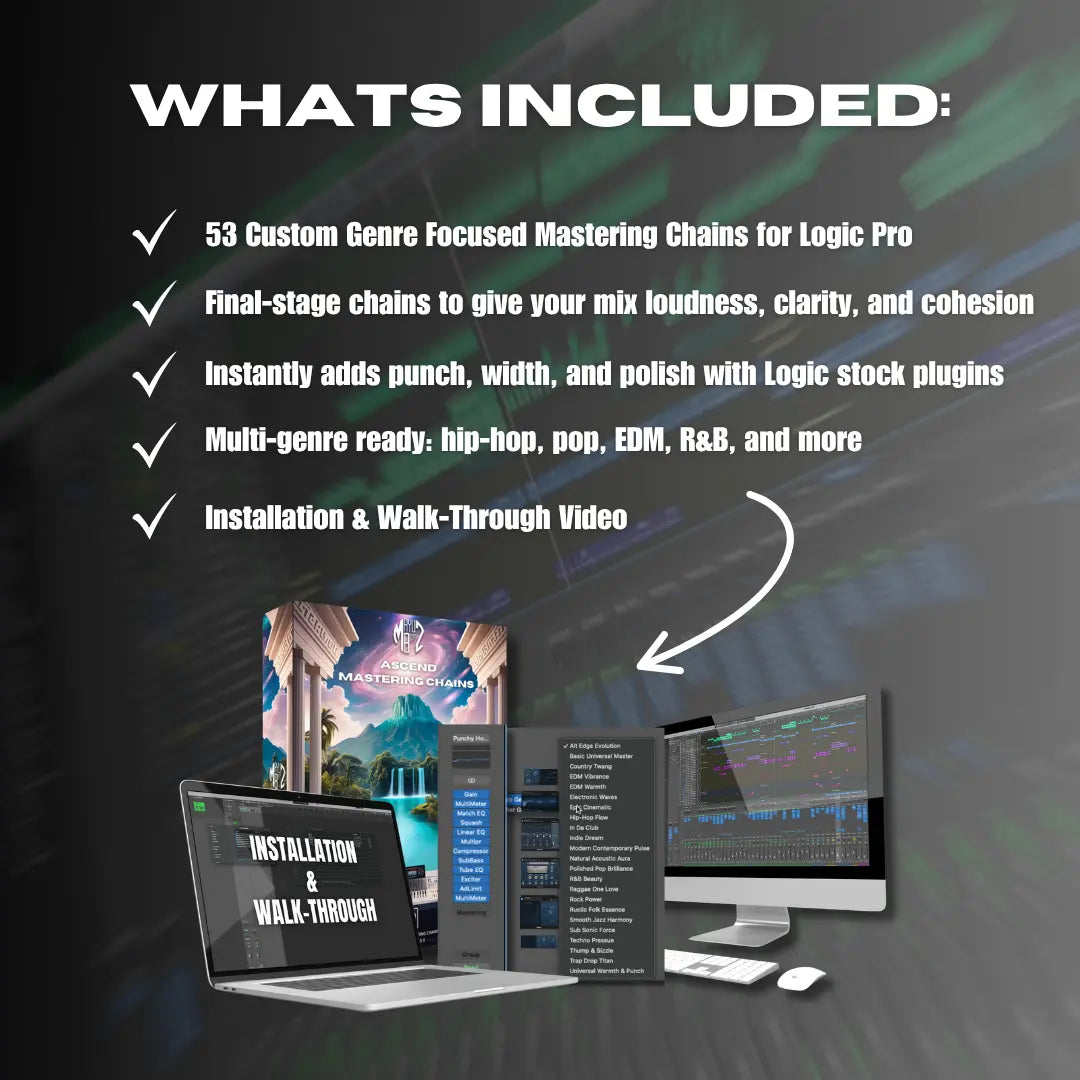
Everything above works, and I think every producer should build this chain by hand at least once. But dialing it in from scratch for every song gets old. If you'd rather skip the setup, Ascend Mastering Chains gives you 53 mastering chains sorted by genre, from Hip-Hop, Trap, R&B and Pop to EDM, Indie and Cinematic, built on Logic's stock plugins like Adaptive Limiter, Multipressor, Linear Phase EQ, Match EQ and Channel EQ. Drop one on your Stereo Out, set the input, and shape it with three controls: Input, the Tone and Glue pad, and Loudness. One-time purchase, no subscription, nothing extra to install.
If you want the mixing side covered too, the Ultimate Mixing & Mastering Bundle includes Ascend plus all 730 Essential Mixing Chains and Levitation vocal presets. Both are also part of Infinity Suite for Logic Pro. On FL Studio? Here's how to master in FL Studio with stock plugins.
Key takeaways
- -14 LUFS is where Spotify plays your song, not how loud you must master it.
- My own hip-hop, trap and EDM masters land at -8 to -6 LUFS integrated.
- Ceiling: Spotify recommends -1 dBTP, or -2 dBTP for masters louder than -14 LUFS. My chains run hotter at -0.2 to -0.1 dBTP; if you do too, check a converted MP3 for crunch.
- Master for the sound: push loudness only while the song keeps getting better.
- A simple stock chain works: Channel EQ, Compressor, optional Multipressor, Adaptive Limiter, Loudness Meter.
- Preview the normalized version with a Gain plugin and a reference track before you bounce.
FAQ
Should I master to -14 LUFS for Spotify?
You don't have to. Spotify turns louder songs down to around -14 LUFS by default, so a -14 master and a -8 master play at about the same volume. Pick the loudness that sounds best for your genre. For hip-hop, trap and EDM I shoot for -8 to -6 LUFS integrated.
What true peak ceiling should I use for Spotify?
Spotify recommends -1 dBTP, or -2 dBTP if your master is louder than -14 LUFS, because loud files can clip slightly when converted to streaming formats. Many commercial masters run hotter; my own chains peak around -0.2 to -0.1 dBTP. If you go that hot, listen to a converted MP3 or AAC and pull the ceiling down if you hear crunch.
Why does my song sound quieter on Spotify than other songs?
Usually it's over-limited. When a squashed master gets turned down by normalization, it can sound flatter and smaller than a punchier song played at the same level. Back off the limiter by 1 to 2 dB and compare again with a Gain plugin preview.
What are good Adaptive Limiter settings for mastering in Logic Pro?
Put Adaptive Limiter last on the Stereo Out and turn on True Peak Detection. Set Out Ceiling to -1.0 dB (or -2.0 dB for masters louder than -14 LUFS) to follow Spotify's recommendation, or around -0.2 to -0.1 dB for a hotter, competitive master like my chains use. Then raise Gain slowly while watching the Integrated reading on the Loudness Meter until you hit your target. If you need much more than about 6 dB of Gain, the mix probably needs work first.
Can you master a song in Logic Pro with only stock plugins?
Yes. Channel EQ or Linear Phase EQ, Compressor, Multipressor, Adaptive Limiter, and the Loudness Meter cover everything a typical streaming master needs. Logic Pro 10.8 and later also includes Mastering Assistant as a quick starting point.
Does Logic Pro have a LUFS meter?
Yes. Insert Metering > Loudness Meter on the Stereo Out after your limiter. It shows Momentary, Short-term, and Integrated loudness in LUFS, and the Integrated value is the one streaming services use for normalization.
Products from the article